Textures
Texture & Atlas Browser
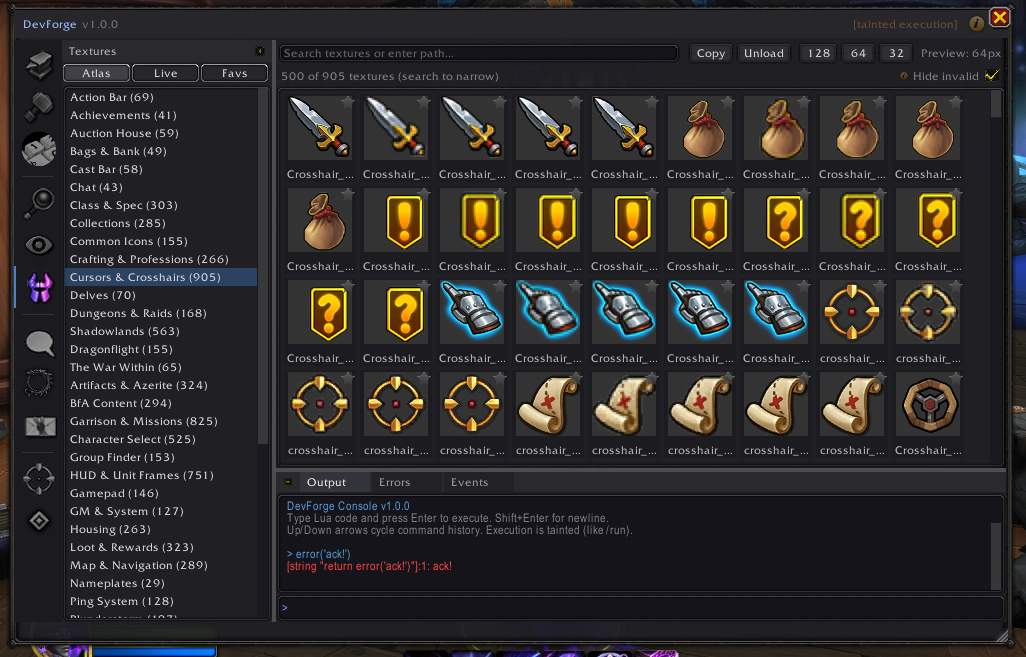
The Texture & Atlas Browser provides visibility into textures and visual assets available at runtime.
Overview
WoW’s UI relies heavily on textures and atlases, many of which are undocumented or difficult to discover.
DevForge allows you to:
- Browse loaded textures
- Explore atlas categories
- Preview assets in-game
Screenshot
Capabilities
- Browse textures by category
- Preview assets at multiple sizes
- Copy texture paths or IDs
- Filter invalid or unavailable entries
Atlas support adapts based on client capabilities.
When to Use the Texture Browser
Use the Texture Browser when:
- Designing custom UI
- Searching for existing Blizzard assets
- Debugging missing or incorrect textures