Console
Interactive Lua Console
The DevForge Console provides an in-game Lua execution environment for inspecting and interacting with the live World of Warcraft runtime.
It is designed for exploration and debugging, not automation.
Overview
The Console allows you to execute Lua code directly inside the WoW client and immediately observe results.
It focuses on:
- Fast experimentation
- Runtime inspection
- Clear separation of output, errors, and events
Execution is explicitly marked as tainted, equivalent to /run.
Screenshot
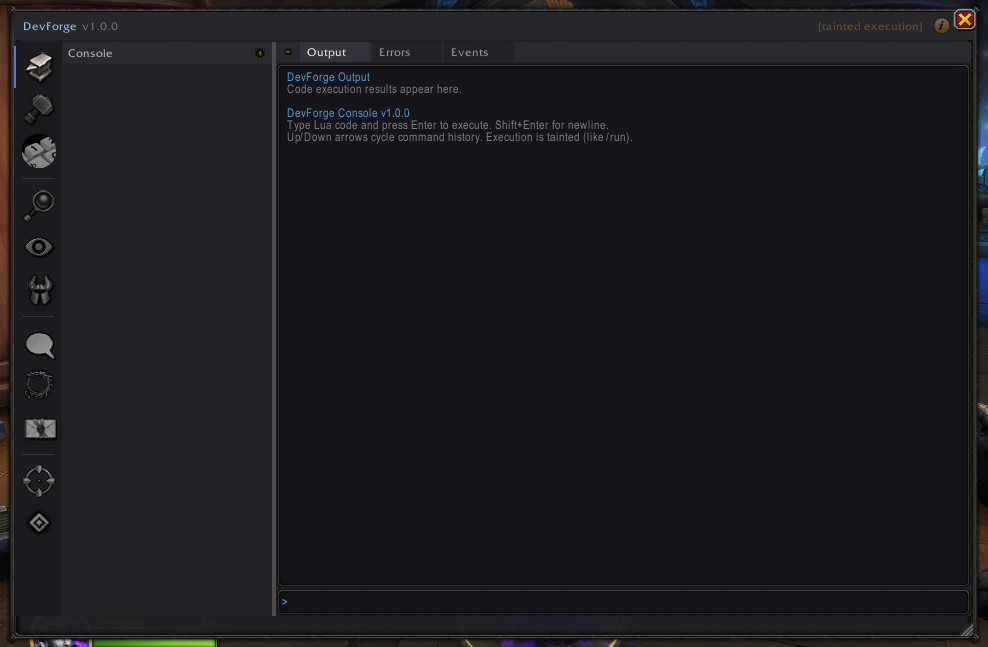
Capabilities
Live Code Execution
- Execute Lua snippets immediately
- Inspect globals, frames, tables, and API behavior
- No UI reload required
Output Channels
Execution results are separated into:
- Output – return values and printed data
- Errors – execution failures and stack traces
- Events – event output when applicable
This keeps exploratory work readable, even in noisy environments.
Command History
- Navigate execution history with arrow keys
- Quickly re-run or modify recent commands
- Scratchpad persists across sessions
Safety & Restrictions
- Console execution is tainted
- Protected actions remain protected
- Secure execution rules are not bypassed
The Console provides visibility, not control.
When to Use the Console
Use the Console when you need to:
- Inspect runtime state quickly
- Validate assumptions about APIs or data
- Explore frame behavior interactively
- Debug issues without restarting the client